Afterworld Wishlist Checklist
A single evening of setup so you do not miss the next diary or the launch window.
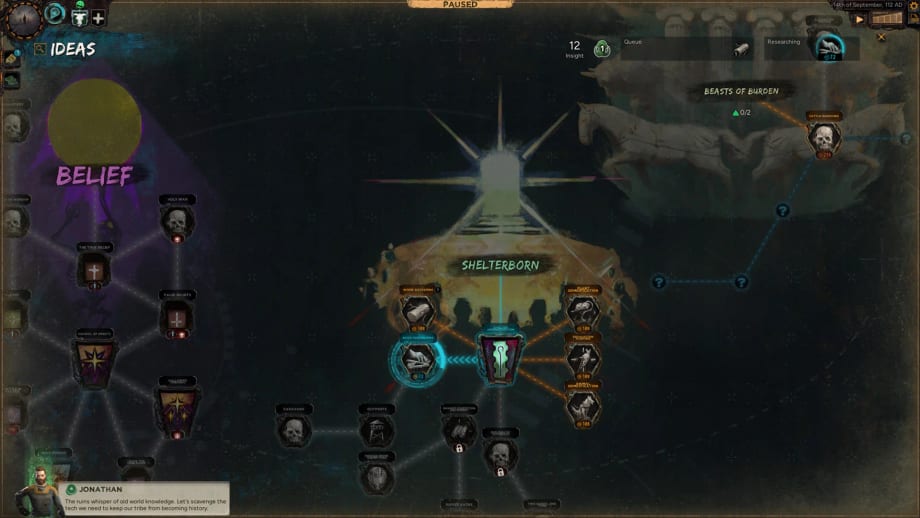
Afterworld has no date, so the correct consumer action is not a midnight cart. It is a wishlist plus a small set of official taps. This checklist is the tool version of that advice. Work it once, then return to reading getting started or the preview. The parent page is the tools hub.
1. Steam wishlist (required)
Open the Afterworld store page, app 4920230, and wishlist it while logged in. That is the only button Paradox can use to ping you for a launch, a discount, or a major store change such as a spec sheet. If you do not have Steam, this is the week to make an account anyway: the public platform is PC via Steam. Hardware remains TBC on system requirements.
2. Follow the diary, not only the trailer
Trailer comments will not teach you the Ideas Tree. Dev Diary 1 already did more than the cinematic. Follow Afterworld on the Paradox forum (linked from official links) and enable notifications if you live in forum culture. If you do not, follow the Steam news hub for the same app ID — Paradox mirrors diaries there.
3. Official video and socials
Subscribe to the Afterworld YouTube channel for trailers and future gameplay. Follow @AfterworldPDX on X and the accounts listed on community links only if you want short news. Discord (invite advertised on the official site) is the right place for looking-for-group once multiplayer is more than a sentence. Reddit r/afterworld is unofficial in the usual way; treat it as discussion, not patch notes.
4. Newsletter comic, optional
The official site offers The Report, a digital comic, in exchange for a newsletter signup. That is flavor. It is not a systems manual. Sign up if you like worldbuilding; skip it if you only want spec sheets. Worldbuilding that matters to play is already on origins and Ancient Tyrants.
5. What not to follow
Random “Afterworld codes” pages. Roblox script sites. GPU affiliate lists that already name a card. Fake origin rosters. This wiki’s updates hub is the filtered version. If a leak does not appear on Steam, the Paradox forum, or the official site, it does not enter the checklist.
6. Tell your future co-op group
If you plan to play together, send this page and multiplayer in the same message. Agree a voice app. Do not agree a GPU. Do not agree an origin until you have read the origins tier list as a menu.
7. Revisit after each official drop
When diary two lands, the updates hub will link it and the systems guides will move. Your job is to click those pages, not to hunt clips. If Steam ever adds a demo or playtest, it will be mentioned on the announcement family of pages and here, at the top, as a new required step.
Why this is a “tool”
Because a Paradox wait is a process. People miss launch windows because they watched one trailer in August and never wishlisted. People also burn out because they follow twenty rumor accounts. This checklist is deliberately short. Steam, diary, one video channel, optional Discord. Then go learn how to play and settlements so the wait makes you a better tribe leader instead of a worse refresh addict.
When a date exists, this page becomes a launch-day checklist: verify specs, verify GPU drivers, verify the co-op build, verify that this unofficial wiki has been updated. Not before.
Frequently Asked Questions
Quick answers about Afterworld before launch.
Is wishlisting Afterworld the same as pre-ordering?
No. A Steam wishlist is a follow button. No price or pre-order SKU has been announced.
Which official channel is enough?
Steam plus the Paradox forum or Steam news. Everything else is extra. See official links.
Should I join Discord now?
Only if you want community. Gameplay groups cannot form around a missing client. Read multiplayer first.
Where are system requirements?
Still TBC. The sibling page is system requirements, under the tools hub.